Architecture Overview
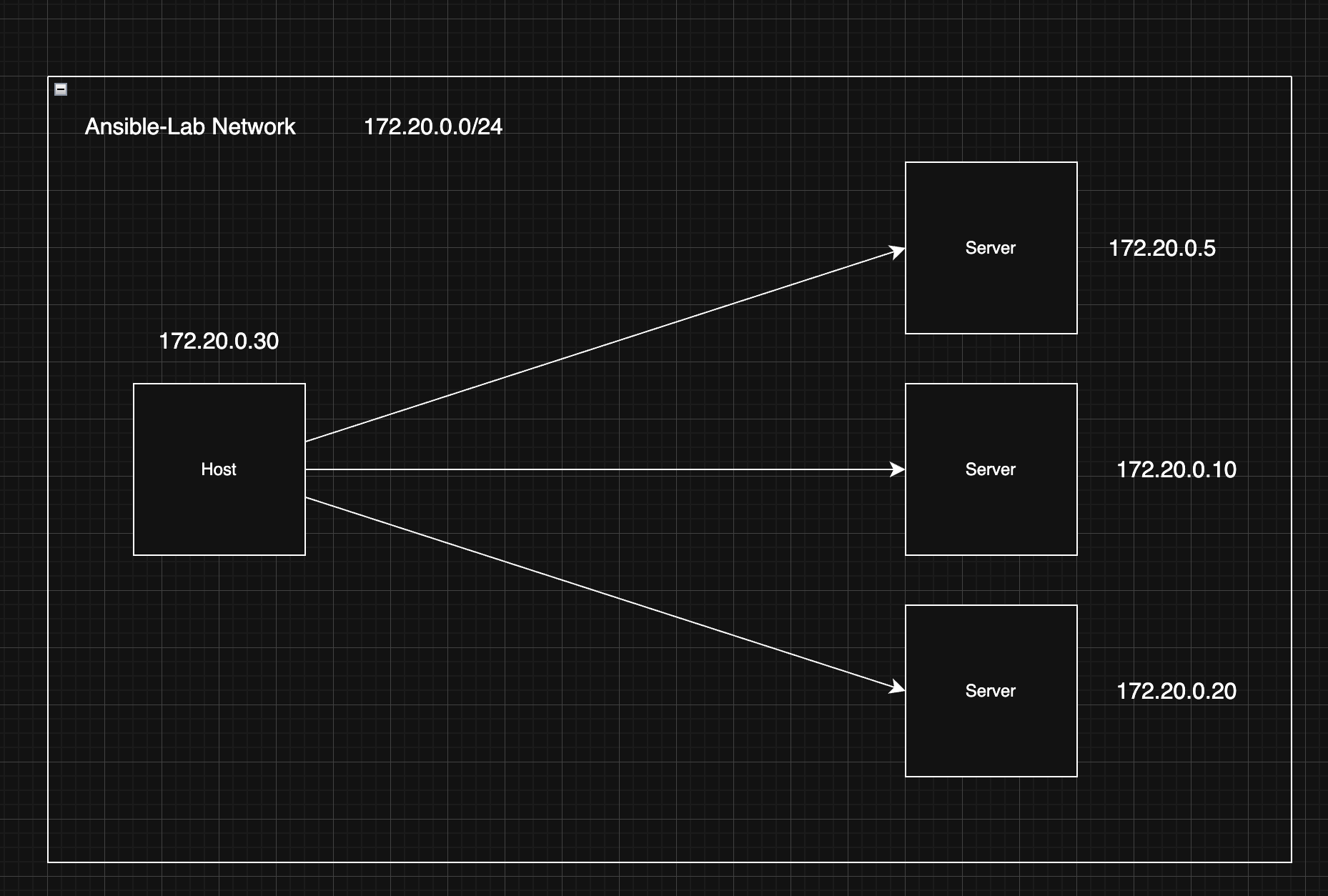
Network Topology and Static IP Routing
ASCII Representation
                 +--------------------+
                 |    Ansible Host    |
                 +----------+---------+
                            |
           +-----------------+-----------------+
           v                                   v
+-------------------+               +-------------------+
|     server_2      |-------------->|     server_3      |
| Load Balancer(80) |               |  App Server(8080) |
+---------+---------+               +---------+---------+
                            |
                            v
                  +-------------------+
                  |     server_1      |
                  |  Database (5432)  |
                  +-------------------+
Getting Started
Build and start the infrastructure:
./ansible-lab.sh init
./ansible-lab.sh start
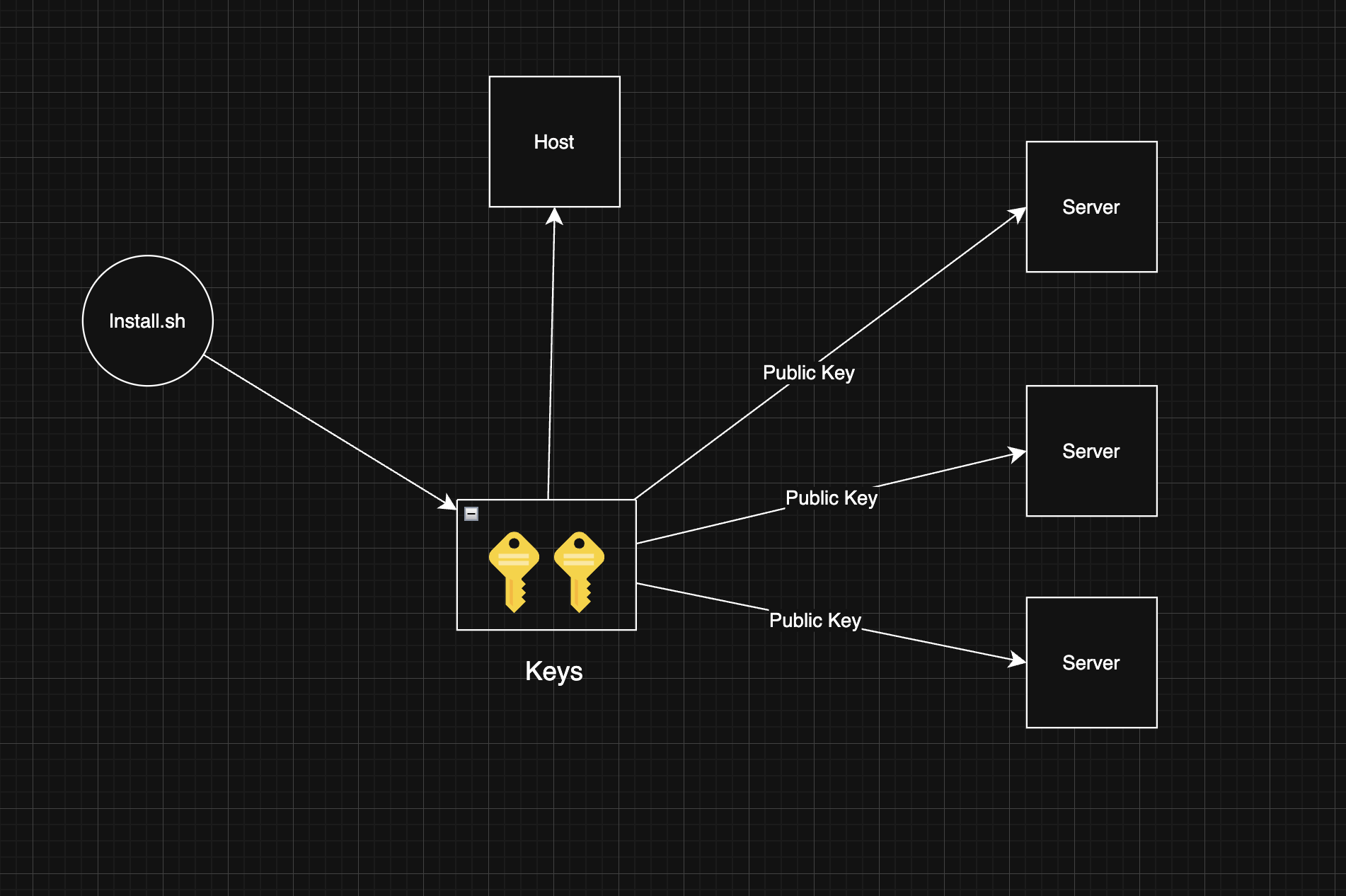
Initialization Process: Key Generation and Authentication Flow